AUv3 · VST3 · AU · Free
Little Machine.
Fast Grooves.
Little Drum Machine is a free and easy-to-use drum machine for iPad and desktop. It comes with all the necessary bits and gets you making beats right away. Start with 32 included drum sounds, or import your own samples. Make grooves, fast.
 for iPad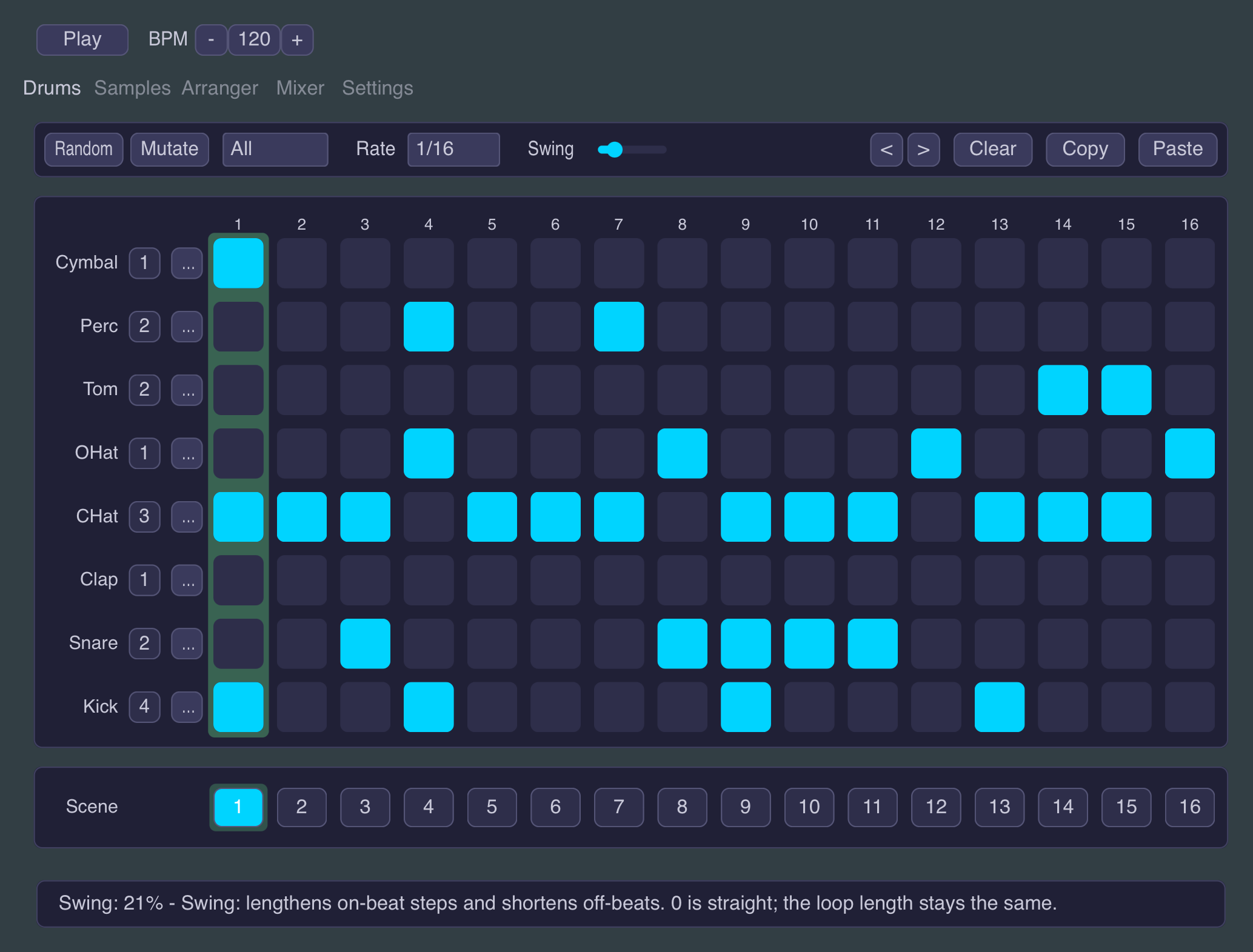
From zero to groove in a minute
Little Drum Machine is for the moments when you just need drums. Pick one of thirty-one presets or hit Randomize, tweak a few steps, and you have a beat.
Make sound your way: start with the built-in sounds, load your own samples as you go, or send MIDI and let your favorite synths and drum apps do the talking.
We wanted something simple to work with in our own studio, so we built it. Now it's yours, for free.
Features
A Step Grid for Fast Beats
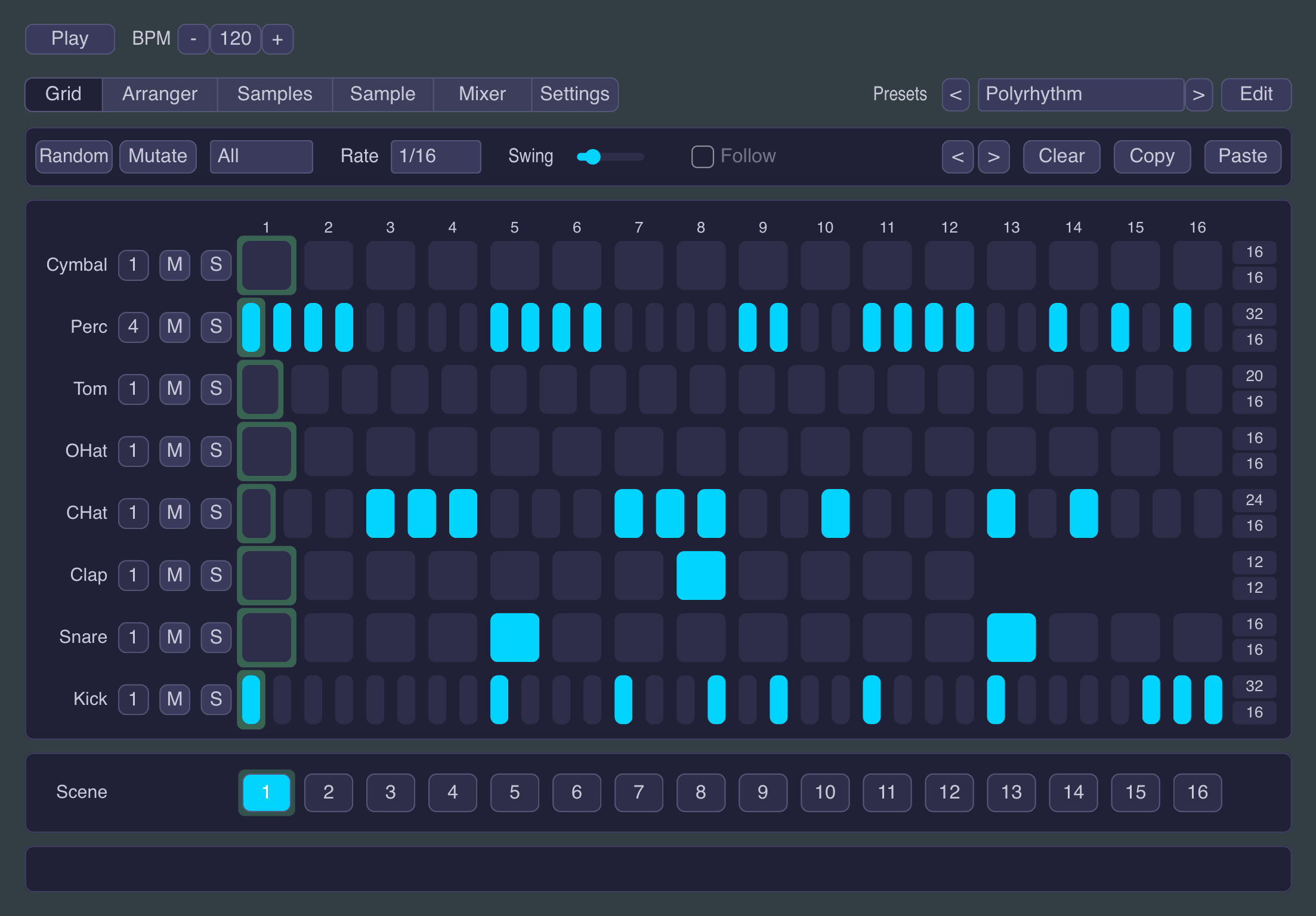
Every drum and every step on one screen. Tap steps in, drag up or down for velocity: accents and ghost notes live right in the grid. A swing control gets things groovy.
Randomize and Mutate
Randomize is tuned to stay musical: kicks act like kicks, snares land where snares land. Mutate takes the beat you have and nudges it somewhere new. Together they're a fast way out of a blank grid, or out of a rut.
Sounds Included, and Yours Too
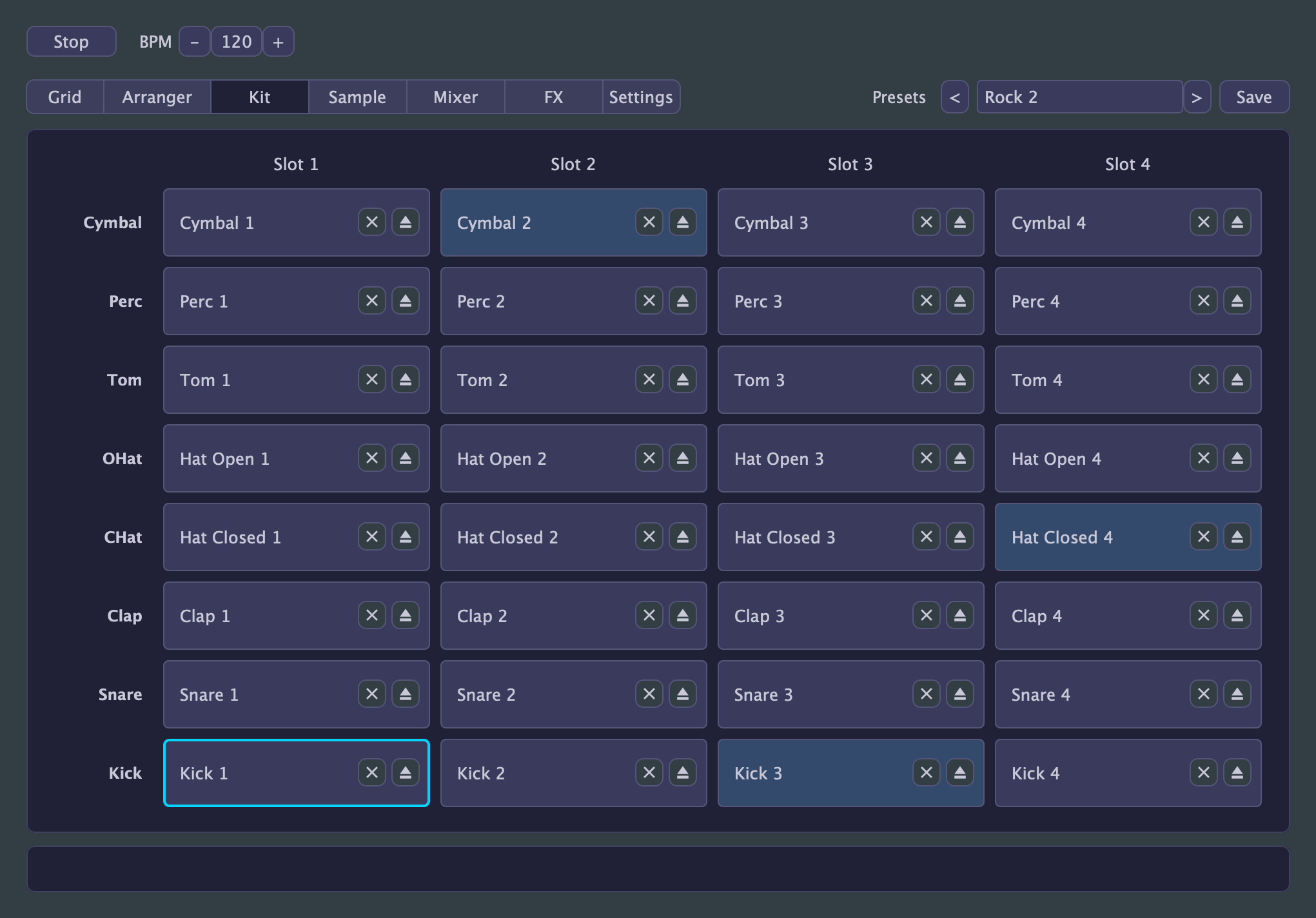
32 samples across the eight drums get you started, with four variants per drum you can swap per lane or even per step. Or load your own samples and build the kit you actually want.
Shape Every Sample
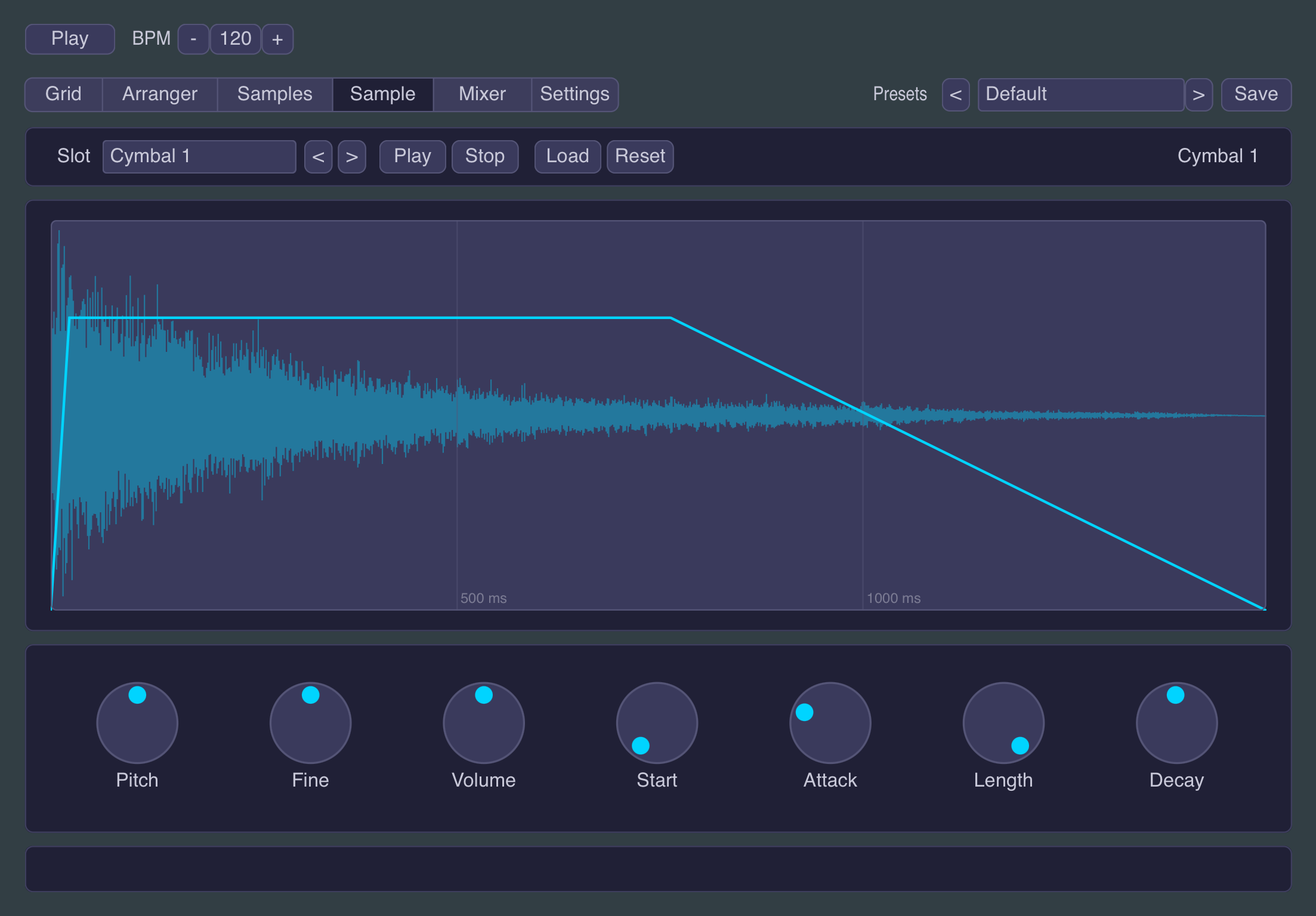
A dedicated Sample tab tunes, trims and fades every sound: pitch, volume, start point, attack, length and decay, with a waveform view that shows exactly what will play.
Scenes and an Arranger
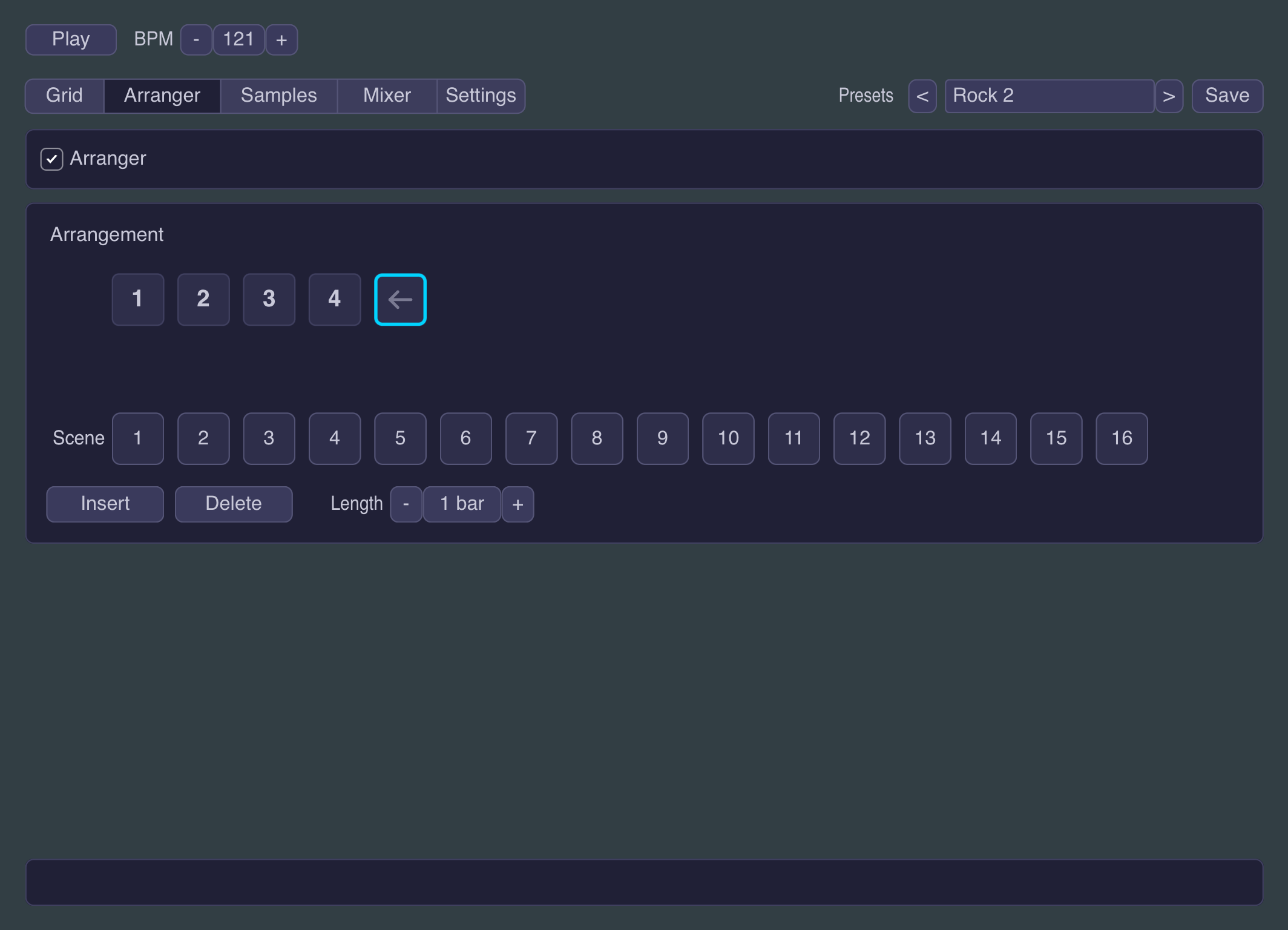
Every preset can hold 16 scenes: space for variations, fills, breakdowns. Chain them in the Arranger and your loop becomes a full arrangement.
Polyrhythms and Polymeters
Give any lane its own step count and loop length: eleven steps in the time of twelve, or a hat that loops one step early and drifts against the kit. One switch in Settings turns it on; until then the grid stays the classic machine it always was.
A Mixer Where You Need It
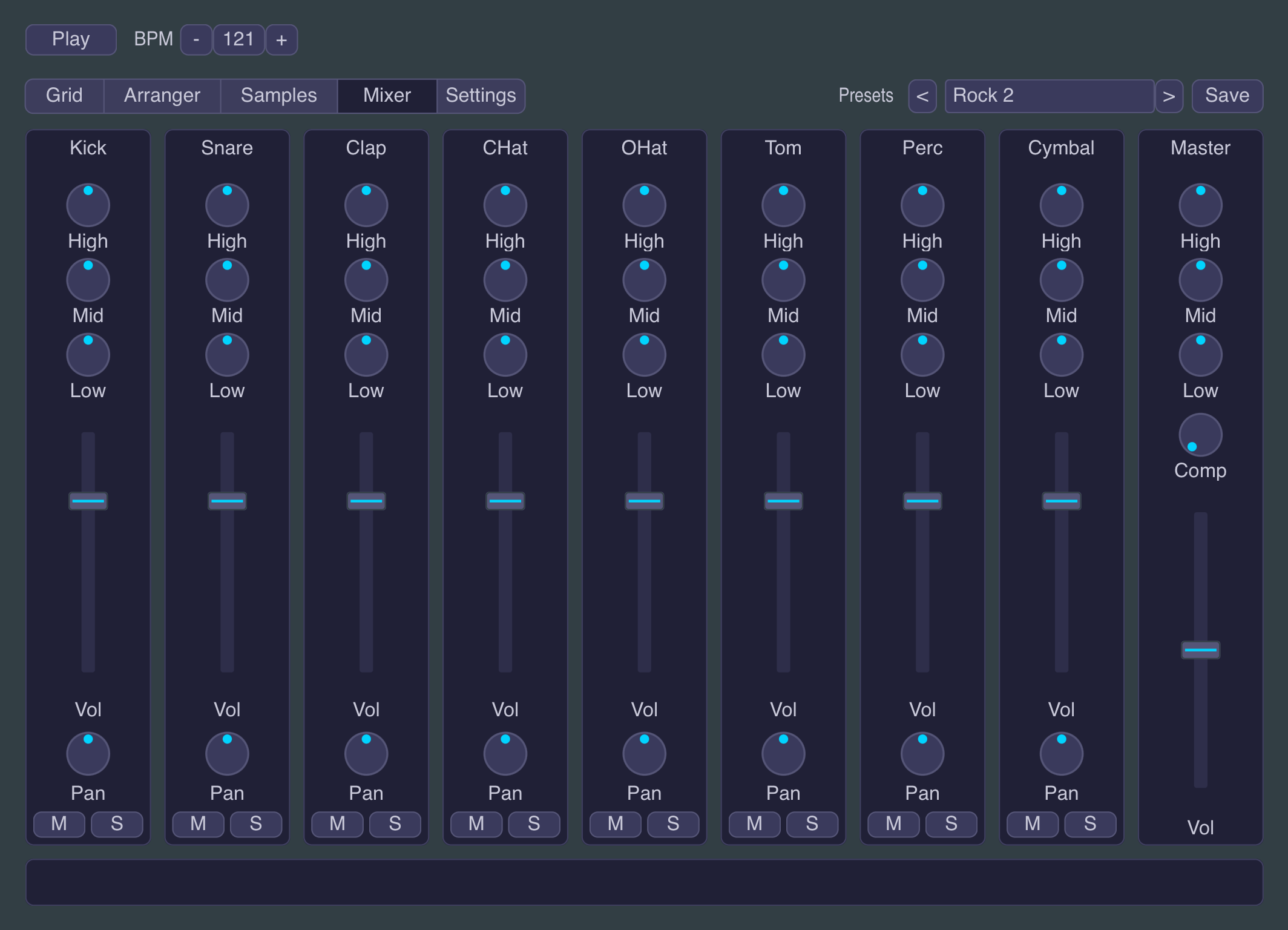
Per-drum volume, pan, three-band EQ, mute and solo, plus a master EQ and a set of per-lane effect sends. No need to leave the plugin to make it sound right.
Delay, Reverb and Drive
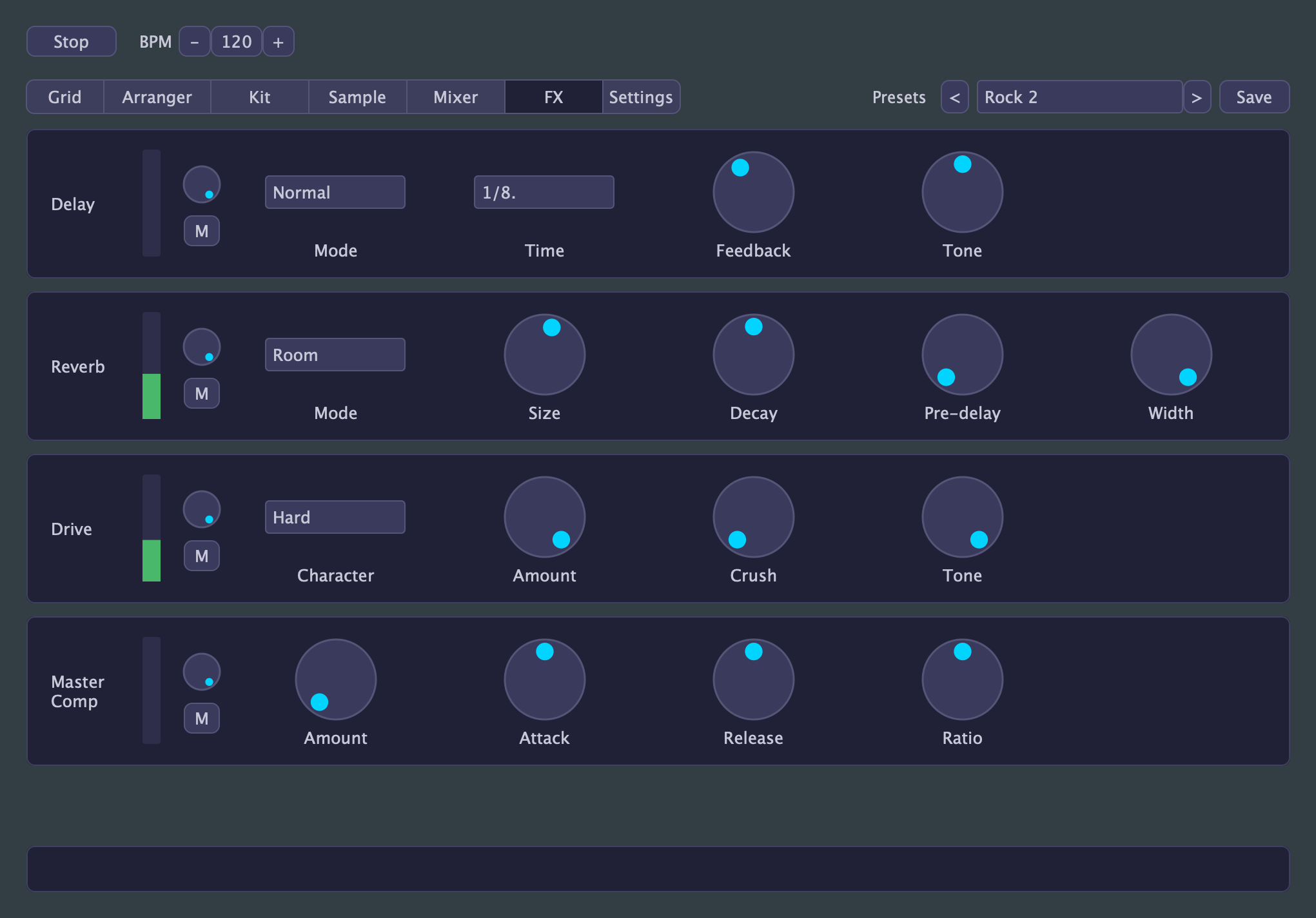
A tempo-synced delay and a reverb with seven rooms, both fed by per-lane sends, so the snare can sit in a plate while the kick stays dry. Per-lane drive with five characters and a bit crusher, from gentle warmth to fully broken. A glue compressor holds the kit together: ride one knob, or dial in attack, release and ratio yourself.
MIDI Out to Anything
Each drum can send MIDI on its own channel and note. Sequence drum synths, other apps, or even hardware: use Little Drum Machine as the brain and let something else make the noise.
Thirty-One Presets to Start From
Techno, House, Hip Hop, Drum & Bass, Jazz, and more: each a four-bar phrase with velocity grooves and swing already dialed in, plus a set built to show off the polyrhythm and FX features. Good starting points, not demos.
Plays Well With Your Setup
Little Drum Machine runs as an AUv3 instrument on iPad, load it in AUM, Logic Pro, Cubasis, Drambo, or any other AUv3 host, as a VST3 or Audio Unit plugin on macOS, and as a VST3 plugin on Windows.
Drums, sorted.
Free, no strings attached.